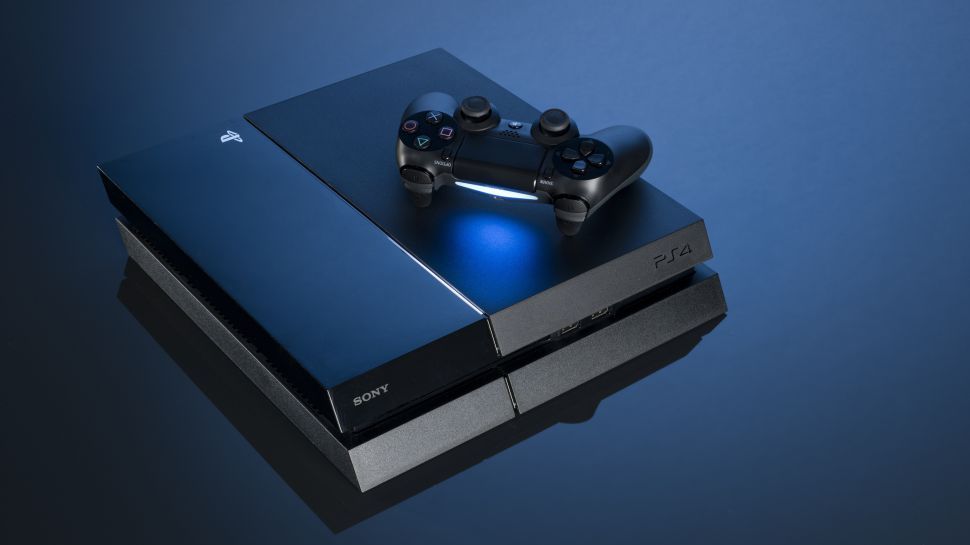
Sony has revealed some information about its highly anticipated next-generation PlayStation. In an interview with Wired, Mark Cerny, who was lead system architect for the PlayStation 4 and is currently working on its successor, divulged details on the components that will power the next-gen system and teased some of the breakthroughs it is making.
In the interview, Cerny didn't name the console, though conventional thinking states it will probably be PlayStation 5. The next-gen PlayStation is partially based on PS4 architecture, which means that it is backwards compatible. Cerny also revealed that it is not an all-digital device, and will accept physical discs. Wired's article describes the transition from PS4 to PS5, as indicated by Cerny, as a "gentle one," adding that numerous games will be released for both PS4 and the next-gen console.
Housed in the console will be an AMD chip that has a CPU based on the third-generation Ryzen. It'll have eight cores of the seven-nanometer Zen 2 microchip. Although the console will support 8K, displaying at this resolution will be dependant on TVs catching up.
The graphics, meanwhile, will be driven by a custom version of Radeon's Navi line. This graphics chip will support ray tracing, something which is starting to become popular in movies and video games. Although it is traditionally thought of as a lighting technique, Cerny says that there are implications beyond creating realistic environments.
"If you wanted to run tests to see if the player can hear certain audio sources or if the enemies can hear the players' footsteps, ray tracing is useful for that," he explained. "It's all the same thing as taking a ray through the environment."
In fact, audio is one the main improvements Cerny is keen to talk about. The AMD chip will enable 3D audio, and this, according to Cerny, is key to immersing players deeper. This naturally led to discussions of PlayStation VR, and while Cerny didn't confirm whether a new version of Sony's headset will be released, the existing one will be supported.
"I won't go into the details of our VR strategy ... beyond saying that VR is very important to us and that the current PSVR headset is compatible with the new console," he confirmed.
Another key leap the next PlayStation will make comes through its hard drive. According to Cerny, developers let Sony know that what they want solid-state drives in the new hardware, as opposed to the slower equivalents used in current consoles. These SSDs are relatively prevalent now in laptops, and what Sony is bringing to the next PlayStation is described as being specialized for the hardware.
Cerny demonstrated the change an SSD introduces to gaming by comparing a load sequence from Insomniac's Spider-Man on a standard PS4 Pro and a dev kit of the next-gen PlayStation. On the former, it was around 15 seconds, while on the latter it was 0.8 seconds. This, Cerny added, has implications on how the world can be rendered too, which in turn impacts how quickly Spidey can move through the world. On the new hardware, the camera moves through the city much quicker, as the hardware is capable of keeping up with rendering requirements.
Discussing the SSD, Cerny said "the raw read speed is important, but so are the details of the I/O [input-output] mechanisms and the software stack that we put on top of them. I got a PlayStation 4 Pro and then I put in a SSD that cost as much as the PlayStation 4 Pro—it might be one-third faster."
Cerny didn't provide any details on any of the services or a broader overview of PlayStation's vision for the next-generation of gaming, instead focusing on the nitty-gritty of its hardware. It is currently unclear when the console will be fully unveiled. Traditionally, Sony would has debuted its new PlayStations at E3, but the company will not have its usual press conference this year. This leaves PlayStation Experience, one of its new Nintendo Direct-like State of Play streams, or a standalone PS5 announcement event as possibilities--that is assuming it plans to reveal the PlayStation 5 this year.
It is also unclear when Sony plans to launch the PS5. In May 2018, Sony's head of PlayStation, John Kodera, said the new PlayStation was three years off. "We will use the next three years to prepare the next step," he said, "to crouch down so that we can jump higher in the future."
While Sony's plans are still largely unclear, Microsoft's are starting to come into focus. The company is set to have an E3 press conference this year, and head of Xbox Phil Spencer said it is going to go "as big at E3 as we've ever been." In 2018, Microsoft confirmed that a new Xbox was in development, and it is expected that we'll see this next-generation console at E3 2019. More immediately, it has been suggested that an all-digital Xbox One S will be announced soon. As the name indicates, this new console would not accept physical discs and designed around downloading and streaming.
Sony Interactive Entertainment's Mark Cerny, PlayStation 4 lead system architect and game designer, spoke with Wired magazine about the "next-gen console" that will be the successor to the PS4. The unnamed console has been in development for four years, and Cerny is again serving as the lead system architect. Cerny stated that the console will not launch in 2019.
Cerny hinted that the new console will allow "for fundamental changes in what a game can be." Multiple studios have been working with the console, and Sony recently accelerated its release of development kits for the console.
The console will feature an AMD chip with a custom unit for 3D audio. The graphics processing unit (GPU) will be custom variant of Radeon's Navi family and support ray tracing. The next-generation console will also have a solid-state drive (SSD) to drastically decrease loading times.
Cerny declined to comment if there will be a next-generation PlayStation VR unit for the new console. However, he said that the current PS VR headset is compatible with the new console.
The console will be backward-compatible with PS4 games, as it is partly based on the PS4's architecture. When the new console launches, Cerny confirmed that many new games will get releases for both the PS4 and new system.
Sony revealed in October that the PS4 has sold more than 86.1 million units worldwide as of September. Sony president Kenichiro Yoshidatold Financial Times in October that "it's necessary to have a next-generation hardware." Sony Interactive Entertainment president and CEO John (Tsuyoshi) Kodera revealed in May 2018 that the PS4 console was entering the "final phase of its life cycle."
The PlayStation 4 console first launched in the U.S. and Canada in November 2013 and in Japan in February 2014. Sony shipped 7.5 million units during fiscal year 2013, 14.8 million in fiscal year 2014, 17.7 million in fiscal year 2015, 20.0 million in fiscal year 2016, and 19 million in fiscal year 2017.
Sony released the PlayStation Classic, a console pre-loaded with 20 games from the original PlayStation console's catalog, on December 3 (commemorating the December 3, 1994 release date of the original PlayStation).
Sony Interactive Entertainment will not attend the Entertainment Software Association's 2019 Electronic Entertainment Expo (E3) event in June. Sony Interactive Entertainment Worldwide Studios chairman Shawn Layden explained that E3, held in June, is too late in the year for a trade show where the company has Christmas holiday discussions with retailers.
HP today announced new mid-range EliteBook laptops, Z Book portable workstations, and a 32-inch business-class display.
“To achieve a culture of innovation, companies everywhere are focused on driving employee engagement and satisfaction, and the technology they deploy plays a significant role,” HP’s Andy Rhodes said in a prepared statement. “We are helping businesses build the office of the future by delivering superior technology experiences that empower and delight today’s workers, while providing IT departments next-generation endpoint security to confidently face the threats of tomorrow.”
HP’s new business PCs were announced as part of the firm’s annual EMEA Innovation Summit in Barcelona, Spain. They include:
HP EliteBook 830/840/850 G6. The 6th-generation EliteBook 800-series laptops come in three display sizes—13-, 14, and 15.6-inches—and delivers much of the quality and functionality from the more premium EliteBook 1000 series at lower price points. Each provides faster processors and brighter screens than before and enhanced connectivity, including gigabit-class 4G.
HP EliteBook x360 G6. The latest EliteBook x360 looks and works much like the 800-series but provides a convertible form factor with four functional usage modes and HP Smart Pen support.
HP ZBook 14u/15u G6 Mobile Workstation. HP’s new mobile workstations deliver high-performance Intel processors, 32 GB of RAM, 128 to 2 GB of fast SSD storage and come in a 14- or 15.6-inch UHD IPS display.
HP EliteDisplay E324q. This 31.5-inch QHD display offers three-sided micro-edges, a four-way ergonomic designed, and HDMI, DisplayPort, and USB-C inputs.
In addition to the hardware, HP also announced an AI-based malware defense solution called Sure Sense that expands on its already comprehensive suite of business-focused security software and services. Sure Sense will ship on the HP EliteBook 800 G6 series and ZBook 14u/15u, and will presumably be made available on other business-class HP PCs as well. It works well alongside existing anti-malware solutions, according to HP.
Each of these new offerings will ship between May and June, HP says.
The Play Store is a breeding ground for Google's A/B tests. Every couple of days, the app shows different interfaces and options for some users, and it's tough to stay on top of them all. Recently, the Play Store started showing a dedicated Events tab for gaming, rolling out Pixel updates on Android Q, and we know it's working on a Material Design revamp. But there's much more in the works. In the past couple of days, app updates started behaving a little weirdly for some users, with the most important sign being the appearance of simultaneous downloads. We've also spotted a new Play Protect interface, the ability to browse TV shows by networks, and a mysterious internal app sharing toggle. Without further ado...
Simultaneous app downloads
Since time immemorial, the Play Store has downloaded apps in a row: one app starts, and when it's done, the next app begins downloading. Simultaneous downloads should have been a thing years ago, but they're only finally starting to show up.
If you have multiple apps waiting to update, tap to update all and watch what happens. The apps flip flop around as if they were drunk, and for some users, concurrent downloads are happening. You can see them in the screenshots above and the one on the left below. This means that if you're downloading or updating a huge game, for example, you won't need to wait for it to finish before your other apps get updated. It's quite nice.
Left: Simultaneous downloads. Right: When the downloads are done, they install one by one.
This is a server-side change, and we can't re-produce the simultaneous downloads, though the flip-flopping is happening for us too. It looks like Google is changing the algorithms there to introduce the feature, so we can only hope it'll spread to more users soon.
Internal app sharing
Last year, Google simplified app testing on the Play Store for developers by allowing them to have an open beta, closed alpha, and an internal test channel for a maximum of 100 users. The latter is meant to allow developers in large companies to test their apps among the team, or to have a super small loyal user group willing to try a rough draft of an app or update.
By default, anyone invited to an internal test channel and who approves it is able to install that app. So it's weird to see a toggle to allow this appear in the Play Store. The new setting is hidden but shows up after repeatedly tapping on the Play Store version in Settings. It works on most recent versions of the Play Store and for everyone, so this isn't reliant on a server-side change.
The toggle looks disabled by default, but as we said, it already works. Perhaps the big benefit once it is configured properly is that you could disable the installation of all internal test channel apps in one fell swoop.
Left: Internal app sharing toggle. Right: Explanation after toggling it on.
New Play Protect interface
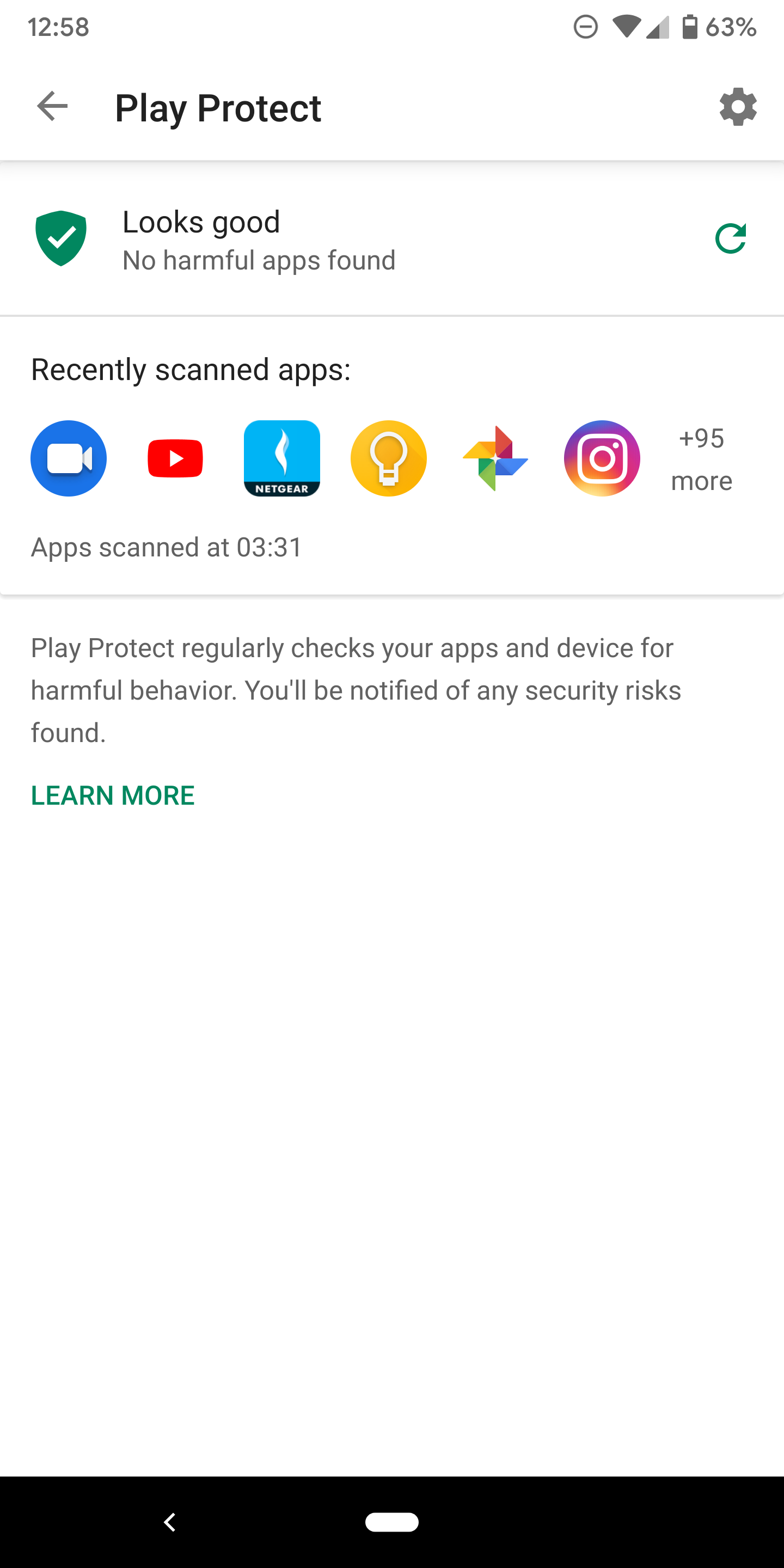
When Play Protect showed up and later made its way to the Play Store, it had a simple one-page interface. We don't know when exactly a new interface rolled out, but it's different now, for everyone. The main Protect UI still has the recently scanned apps, but the settings to scan the device and improve harmful app detection have been moved to a different screen. I'm not sure why this had to be changed. The one-page layout was alright since there aren't too many settings.
Left: Play Protect first screen. Right: Separate settings.
Browse TV shows by networks
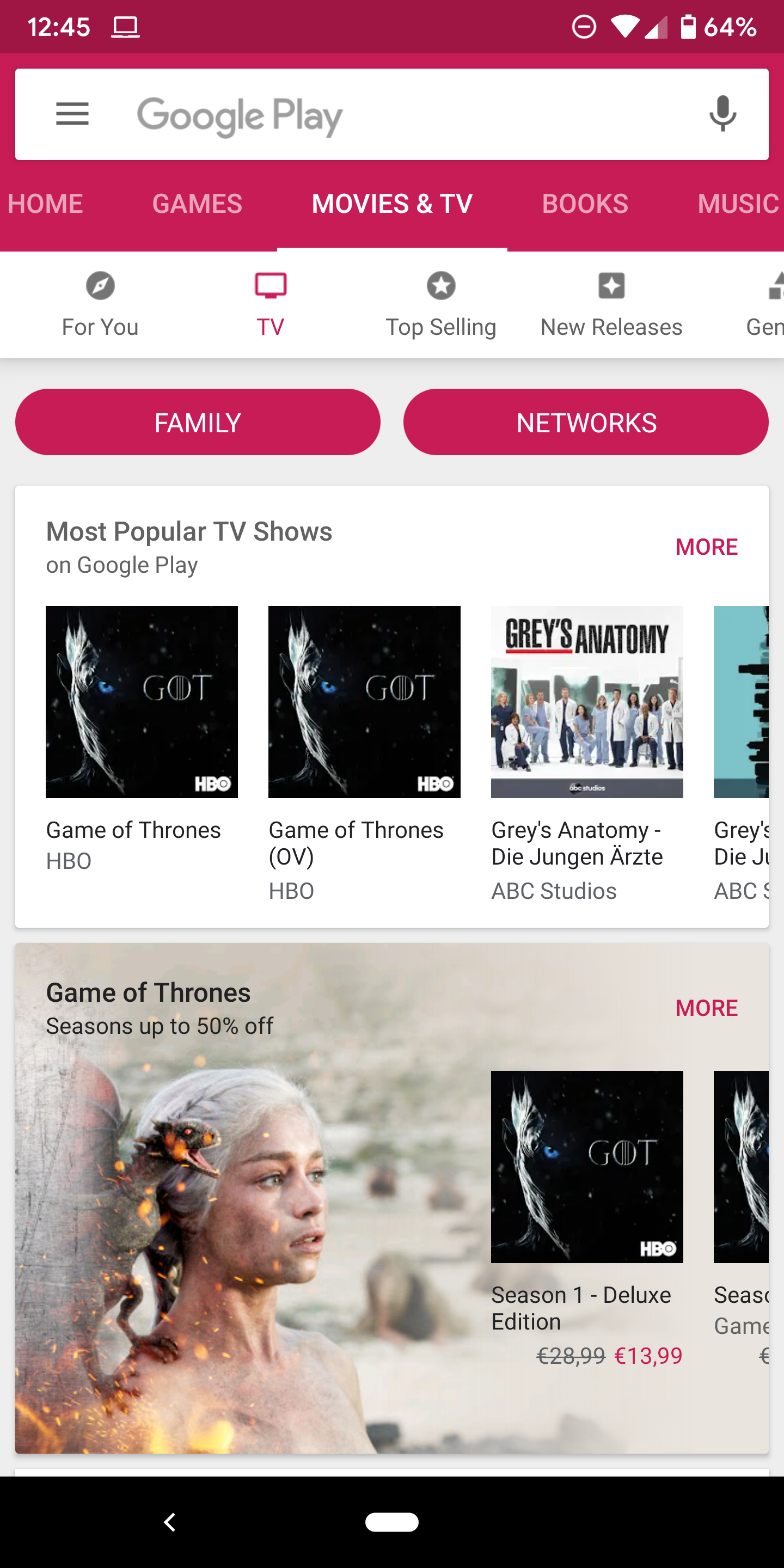
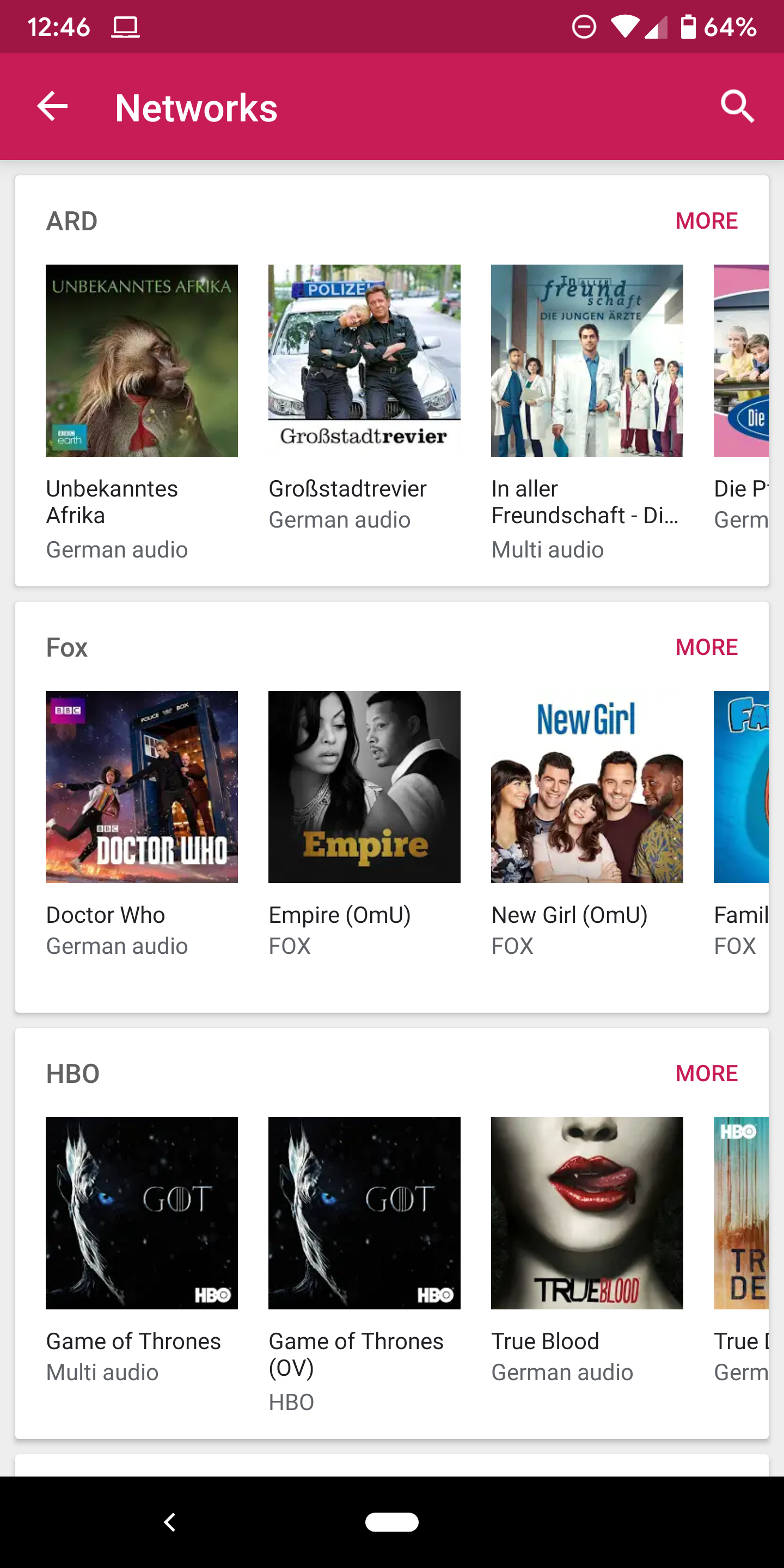
And finally, we have spotted one more change in the Play Store's Movies & TV section. Again, we're not exactly sure when this began showing up, but it's there for all of us. In the TV tab, there's a new filter bubble to display shows by Networks. That way you can see all series made by your favorite channels.
Left: Networks filter in Play Store's TV section. Right: Browsing series by network.
If you've seen any other odd Play Store changes, or if you can replicate the simultaneous downloads, let us know in the comments. And don't forget that you can always grab the latest Play Store version from APK Mirror.
You'll still be using discs to play games on Sony's next games console, and it won't be landing until at least 2020. That's according to Mark Cerny at Sony who is the lead system architect on the next-gen console.
In an interview with Wired, Cerny has confirmed the console won't be launching later this year but he refused to confirm whether it'll be called the PlayStation 5.
Running off a bespoke version of the third generation AMD Ryzen chipset (8 cores with the company's new Zen 2 microarchitecture), the forthcoming console will be capable of supporting ray tracing – a complex lighting technique that has so far been the reserve of incredibly high-end PC GPUs. The chipset will also be capable of delivering a new "gold standard" in immersive 3D audio, particularly for those that enjoy playing with a headphone headset attached.
One of the other major upgrades here will be the integration of a bespoke solid-state harddrive, which would work differently to how you can connect an SSD to your existing PS4.
Sony showed a demonstration of an early devkit to Wired in the interview. During a game of Spider-Man a fast travel loading screen took 15 seconds on a PlayStation 4 Pro, but the same task took under a second on the next-gen devkit. It's estimated to be some 19 times faster than a standard SSD in terms of read times.
Essentially, you should expect your games to load a lot faster on this next-gen console. That said, the integration of this technology may cost a lot so there may be a price hike.
All the big details
Cerny confirmed the console will still boast discs to play games, and it'll be backward compatible with PS4 titles too. It doesn't look like it'll support PS3, PS2 or original PlayStation titles though.
That doesn't mean the company will avoid the idea of cloud gaming entirely, or necessarily its vintage catalogue. Cerny also said, "we are cloud-gaming pioneers, and our vision should become clear as we head toward launch”.
Whether that means an extension to PS Now - Sony's current classic game streaming service - or an entirely different system remains to be clear.
Your existing PlayStation VR headset will work with the upcoming console, Cerny confirmed, but we'd also expect the company to release a next-gen version of its virtual reality headset in the future too.
The upcoming console will also support 8K to futureproof it for your next-gen TV too.
Cerny wasn't drawn on a release date for the console or a price, other than to deny rumors of a 2019 release date. But we'd hope to learn more of those details when the company officially unveils the full console.
The Wired article says, "Sony recently accelerated its deployment of devkits so that game creators will have the time they need to adjust to its capabilities."
That suggests game developers already have the technology to play with, meaning we may hear more about the new console sooner rather than later.
It’s undeniable that one of the best characteristics of every Apple product is its display. Apple ships computers – from iPads to iMacs – with great quality, well calibrated displays that can be used for professional work which requires a great level of fidelity. Now, it appears Apple is working a new Mac and iPad display feature to launch with macOS 10.15.
Previously, Astro HQ came up with a solution, Luna Display, that allows Mac users to use their iPad as an external display. There are many solutions on the market for that, but Luna Display has become the top one given that it’s a hardware product leveraging the power of the GPU so the experience is as seamless as possible.
Now, Apple is working on making that seamless experience native to the Mac. According to people familiar with the development of macOS 10.15 – the next major version of Apple’s desktop OS – the new system will have a feature that allows users to send any window of any app to an external display. The external display can be an actual external display connected to the Mac or even an iPad.
The new feature – called “Sidecar” internally – can be accessed via a simple menu. This new menu will be opened by hovering over the green “maximize” button in a Mac app window for a split second. The menu will have options for making the window fullscreen, tiling and moving to external displays, including the user’s iPads and external displays connected to the Mac. Selecting one of the display options moves the current window to the selected external display or iPad, in fullscreen.
Users with an iPad that supports Apple Pencil will also be able to draw with the Pencil on iPad when it’s being used as an external display for the Mac, effectively turning the iPad into a Wacom-like tablet. Engineers are also working on options that will allow windows to be easily snapped to one side of the screen, similar to a feature that already exists on Windows.
Comparing the 2019 iPad Air to the very first iPad Air from years ago.
Samuel Axon
From left to right: the 2019 iPad mini, the first iPad Air, the 2019 iPad Air, and the 2018 12.9-inch iPad Pro.
Samuel Axon
Apple's iPad lineup has had a gap in it lately.
At the top end, you had the 2018 refresh of the iPad Pro—an immensely powerful, envelope-pushing tablet priced and positioned as a laptop replacement. At the bottom, you had the entry-level iPad, which lacked many of the best features in newer Apple products and shipped with a CPU much slower than what's in the latest iPhones.
You were either buying a monster of a tablet for a monster price, or you were getting a tablet that compromised a lot to compete with Chromebooks at the low end. Apple was still making an iPad mini last year, but it was woefully outdated.
Many of us wanted more than the entry-level iPad offered but nevertheless saw a tablet as a secondary device, not a replacement for our main workhorses. That meant we weren't willing to pay iPad Pro prices. As a result, I held on to my aging, first-generation iPad Air (2013) through last year. I probably wasn't alone.
But with the launch of the new iPad Air and iPad mini last month, Apple finally filled the gap. These two tablets seemingly served up the best the iOS platform had to offer, ditched the pretense of replacing your laptop, and didn't break the bank (much).
After spending some time with the devices recently, the result seems clear: Apple's latest tablets are likely the best fits for most people.
These updates are more than a spec bump, but the most notable addition to both the iPad mini and the iPad Air is Apple's A12 system-on-a-chip, which houses the CPU, GPU, Neural Engine for machine-learning tasks, and more.
Specs at a glance: Apple iPad Air and iPad Mini
Screen
2048×1536 7.9-inch (326PPI) pressure-sensitive touchscreen for the mini, 2224×1668 10.5-inch (264PPI) pressure-sensitive touchscreen for the Air
OS
iOS 12
CPU
Apple A12 Bionic (2x high-performance cores, 4x low-power cores)
RAM
3GB
GPU
Apple-designed A12 Bionic GPU
Storage
64GB or 256GB
Networking
802.11ac Wi-Fi, Bluetooth 5 (LTE optional add-on)
Ports
Lightning, 3.5mm headphone jack
Camera
8MP rear camera, 7MP front camera
Size
8"×5.3”×0.24" (203.2×134.8×6.1mm) for the mini, 9.8''×6.8''×0.24'' (250.6×174.1×6.1mm) for the Air
Weight
0.66 pounds (300.5g) for the mini, 1 pound (456g) for the Air (imperceptibly more for the LTE models)
Battery
19.1-watt-hour for the mini, 30.2‐watt‐hour for the XS Max
Starting price
$399 for the mini, $499 unlocked for the Air
Other perks
Augmented reality sensors, computational photography features, Apple Pencil support, Smart Keyboard support (Air only)
It's the same chipset found in last year's iPhone XS, XS Max, and XR, and apart from the extremely speedy A12X in the 2018 iPad Pros, it's the fastest consumer mobile CPU on the market right now. We'll get more into benchmarks later in the review, but performance shouldn't be a problem on these devices any time in the next few years.
The screens are another area of improvement. The Air has a 10.5-inch LCD display with a resolution of 2,224×1,668 pixels, and the mini comes in at 7.9 inches and 2,048×1,536. That means the mini has a higher pixel density (326 pixels per inch to the Air's 264), but that difference is hardly noticeable.
Both displays have a wide color gamut (P3) and a maximum brightness of 500 nits, and both are fully laminated. That last point makes a subtle but desirable difference over the base iPad—and it makes a big difference to Apple Pencil support, which we'll go over shortly.
Both tablets come with two storage options: 64GB and 256GB. 64GB is not enough for most people, but 256GB is probably too much for some folks, so a 128GB option would have been nice. (The entry-level iPad offers that, but it comes with many other compromises.)
The port options are either a relief or a disappointment, depending on your priorities. One all-around win: there's a headphone jack. You'd think that would be a given on a tablet, but Apple omitted it in last year's iPad Pro.
But the Air and mini come equipped with Apple's proprietary Lightning port for charging, data transfer, and accessories. I'd been hoping that Apple would move the entire line to USB-C after it did so with the iPad Pro, even though that implementation was half-baked. USB-C is so much more common and more flexible than Lightning.
On the other hand, this means you won't have to buy new cables and the like if you're coming from an older iPad.
All told, these are big leaps over the previous versions of either tablet—but that's not hard, given that neither of these product lines had seen new entries for several years. We've already talked at length about the efficiency and power of Apple's custom silicon, and I'll get into it a bit more in the performance section of this review. But it suffices to say that these are extremely fast, energy-conscious tablets.
Apart from sticking with the Lightning port, the specs are a win pretty much across the board, and they justify the purchase price for both devices.
Design
Neither of these tablets has a brand-new design in Apple's lineup.
The Air's design is pretty much the same as that of the 2017, 10.5-inch iPad Pro. That means 9.8×6.8×0.24 inches, weighing in at exactly one pound (1.02 for the LTE model). The mini is very close to its 2015 predecessor: 8×5.3×0.24 inches, and 0.66lbs (0.68 for LTE).
Both tablets come in three color options. First, there's the space gray Apple has been offering in most of its new Macs. That finish includes black bezels. The original "silver" color for the back is also available, but that comes with white bezels. And finally, there's gold with white bezels. The gold is the gold most people know from the iPhone 8 (among other things), not the striking PVD (physical vapor deposition) stainless-steel gold of the iPhone XS and XS Max.
Below: Photos of the iPad Air.
The front of the 2019 iPad Air.
Samuel Axon
The back of the 2019 iPad Air.
Samuel Axon
The Lightning port is back, for better or worse.
Samuel Axon
The Smart Keyboard connector.
Samuel Axon
The camera is flush with the chassis.
Samuel Axon
As is the case with other iPads, the backs are made of aluminum and the fronts are made of glass. There's no wireless charging, but that's not a priority for devices of this size anyway.
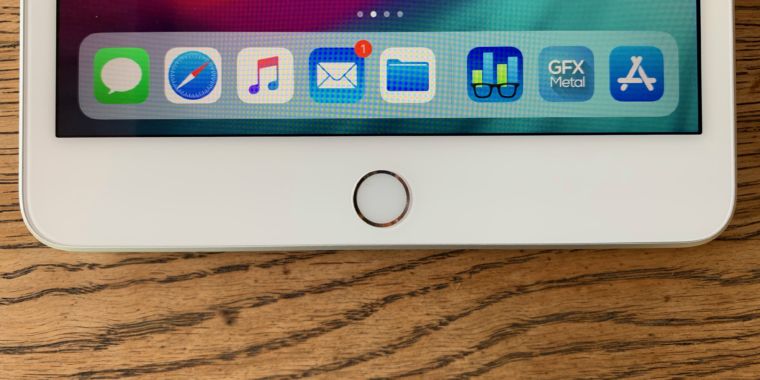
Both iPads have home buttons with Touch ID, and they lack Apple's TrueDepth camera-array system used for Face ID. If you were expecting Apple to ditch the home button completely in all new devices, that's surely a surprise.
While Face ID scores high in the cool factor, and it's (in theory) more secure in many situations than Touch ID is, it's not a distinction that's going to matter to most users. Both technologies are responsive and secure enough for the vast majority of people. Yeah, it's neat to never have to even think about taking any specific action to unlock your device (as is the case with Face ID), but the fingerprint reader works so quickly it's far from a burden.
It does mean you miss out on a few apps that use the TrueDepth sensors in interesting ways, but developers haven't exactly been cranking those out in huge numbers to date.
Of course, these iPads support all the same touch gestures and swipes that the home-button-free iOS devices do. So you're not missing out on any functionality at all.
The iPad Air's design looks quite modern. No, it doesn't have the rounded screen edges and almost-nonexistent bezels of the iPad Pro or the newest iPhones. But while those things are striking, I wouldn't expect them in a $499 tablet. I don't think anyone was complaining that the 2017 iPad Pro looked dated—at least, I wasn't—and 10.5 inches is a happy medium size for a tablet display.
The mini, on the other hand, looks quite dated—so dated that when I brought it out in front of someone who is far from a techie, she immediately commented on how "old" it looked. I know reviewers sometimes get flak for focusing more on bezels than is really necessary, and sometimes that might be fair. But in this case… it really does look like a design from the past.
The 2019 iPad mini. It looks like the last iPad mini.
Samuel Axon
The view from the back.
Samuel Axon
It has the same thickness as before, too.
Samuel Axon
The home button remains, unlike some new iOS devices, and Touch ID is still in place here.
Samuel Axon
Like the Air, the camera is flush with the body.
Samuel Axon
And it has a headphone jack!
Samuel Axon
Those bezels, though.
Samuel Axon
Having an up-to-date small tablet option in Apple's lineup is very handy—it's the perfect size for reading books and magazines, I'd argue. And the 7.9-inch display is certainly adequate, though it feels cramped when using the latest multitasking features in iOS. But it's disappointing that Apple didn't find a way to (or choose to) get more screen real estate out of this chassis for an even more optimal small-tablet experience.
A short rant about device and screen sizes
I'm consistently frustrated that the devices that get edge-to-edge displays and massive bezel reductions are frequently larger devices that don't need them as much. If you have a smaller tablet or phone, reducing these bezels for more screen real estate makes a huge difference. But if you have a big tablet, the display is usually already big enough to be comfortable. So you're just adding icing to the cake.
I have a dream sweet spot in my head where we could have a convenient, small form factor but an edge-to-edge display. Then we could enjoy the benefits of a highly portable and flexible device at the same time we enjoy the benefits of a roomy screen.
But when Apple introduced edge-to-edge displays to iPhones, it axed the iPhone SE. And it didn't reduce the bezels at all in the iPad mini. Imagine what an iPhone SE would have been like with an edge-to-edge display. Imagine what an iPad mini would be like if its screen was closer to the size of the base iPad's screen.
Yet Apple seems to cling to this notion that smaller means entry-level, so smaller devices don't get the top-level features. I personally find that endlessly disappointing, even though I understand the business reasons for it. Yes, the iPad mini has the A12, and that's welcome. But that screen is smaller and less usable than it needs to be.
Some users want small devices with high-end features, and they would be willing to pay for it. But Apple's not giving them all of its best here.